


Trip setup
Choose the bus, driver and supervisor, then put the stops in order before you assign the trip.
For private schools in Oman
Schools set the stop order and assign a driver and supervisor to each trip. Bus supervisors record boarding and drop-off, and families see the latest confirmed update in the app.
Assign the crew, review boarding and drop-off records, and check the inspection at the end of the trip.
Choose the bus, driver and supervisor, then put the stops in order before you assign the trip.
Review the supervisor’s boarding and drop-off entries to see who may need a follow-up.
Check the end-of-trip inspection record and see which trips are still waiting for a bus check.
Look up scheduled, active and closed trips in your school’s records.
Interactive example with fictional data
Pick a stage to see what the transport team does and what the parent sees.
Set up trips in the school dashboard and pull up a record when a parent asks about a journey.
See the assigned trip and stop order on your phone.
Check your pupil list and record boarding, drop-off and the end-of-trip bus inspection.
See your child’s latest confirmed status in the app, such as boarding or drop-off.
Enter the school name and an email where we can reach you.
The Safe Bus team reviews your application and decides whether to approve it.
Activating the school requires an approved application and a verified invitation for its administrator.
Once the school is active, the administrator adds the branch, crew and bus, then sets the stops.
An entry may remain pending on the crew’s phone if it loses connection. Parents see the pupil status update once the platform confirms it.
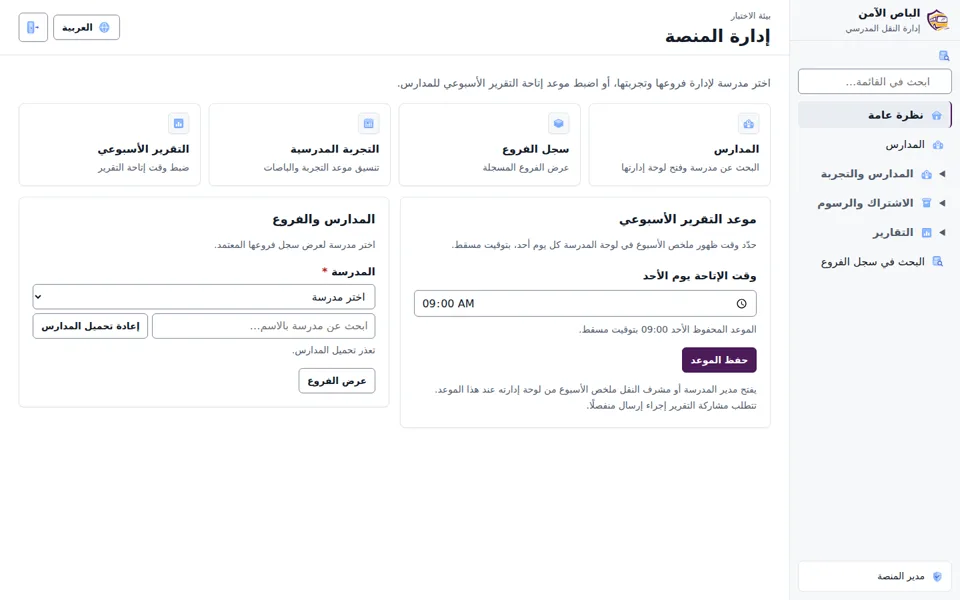
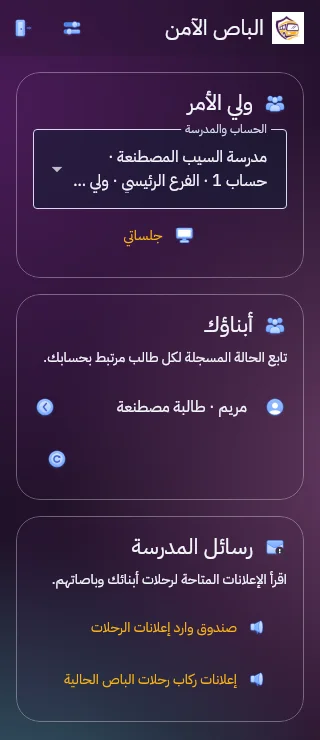
Both screenshots show fictional data from a test environment.
The website does not currently list subscription prices.
Safe Bus is software for managing the buses and crew assigned to your school’s transport service.
The school dashboard runs in a web browser. Crew use the app on an Android device designated for the trial.
Once the school grants access, parents can see their child’s recorded status in the Safe Bus Android app.
During a trip with location sharing enabled, the app shows the latest available bus location. New updates depend on connectivity.
School staff have access according to their role. Parents see information for children linked to their account.
Enter your school’s name and a contact email so our team can review your application.


